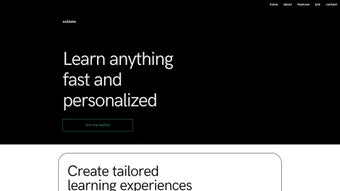

Download Ucollate – AI‑Powered Learning Path Organizer, Free & Secure
Overview
Ucollate is a web‑based, AI‑driven platform that reimagines how students, educators, and professionals gather, organize, and recall digital learning content. Launched on January 7 2023, the beta version leverages state‑of‑the‑art natural language processing (NLP) to pull information from a wide variety of sources—web articles, PDFs, videos, podcasts, and even personal handwritten notes—into a single, searchable workspace. By converting scattered resources into structured learning paths, Ucollate helps users avoid information overload and focus on the material that truly matters. The platform’s core mission is simple yet powerful: let AI do the heavy lifting of content curation so that learners can spend more time studying and less time hunting for material.
Once content is imported, the engine automatically tags topics, extracts key concepts, and suggests logical sequences for study. Users can then fine‑tune these suggestions, add personal annotations, and share curated collections with teammates, classmates, or mentors. The AI doesn’t just organize; it also learns from user feedback, improving its recommendations over time. This dynamic feedback loop means that the more you use Ucollate, the smarter the suggested learning paths become, aligning with your unique pace and preferred learning style.
Beyond content aggregation, Ucollate offers a suite of collaborative tools designed for modern education and corporate training. A built‑in study‑plan wizard guides users in setting realistic goals, while a real‑time Q&A assistant answers questions on the fly, drawing from the imported material and external knowledge bases. Progress‑tracking dashboards visualize completion percentages, time spent, and knowledge‑retention metrics, giving learners actionable insights into their study habits. These visual analytics help identify weak spots early, allowing users to adjust their study plan before gaps become problematic.
While Ucollate is still in beta and lacks a native offline mode, its intuitive interface, cross‑device sync, and AI‑driven features make it a compelling addition to any digital learning toolkit. The platform is free to try, with early‑access users enjoying regular updates and community‑driven improvements. Whether you’re a university student juggling multiple courses, a corporate trainer building onboarding curricula, or a lifelong learner exploring new subjects, Ucollate promises to streamline the journey from raw information to mastered knowledge, all while keeping your data secure and private.
Key Features
- AI‑Assisted Content Aggregation: Import articles, PDFs, videos, podcasts, and web links; the platform parses, tags, and indexes content automatically.
- Dynamic Learning Paths: Generates suggested study sequences based on topic relevance, difficulty level, and user‑defined priorities.
- Collaborative Sharing & Co‑Editing: Share curated collections with peers, comment in real time, and track version history.
- Study‑Plan Wizard & Calendar Sync: Create custom timelines, set milestones, and sync reminders with Google Calendar, Outlook, or iCal.
- Interactive Q&A Assistant: Ask natural‑language questions; receive concise answers drawn from your uploaded resources and an external LLM.
- Progress Dashboard & Analytics: Visual metrics on completion, time invested, retention scores, and study‑streak trends.
- Cross‑Device Sync: Access your learning hub from any modern browser on Windows, macOS, Linux, Android, or iOS.
- Secure Cloud Storage & Compliance: AES‑256 encryption in transit and at rest, GDPR & CCPA‑ready, with optional SSO and MFA.
Each of these features is designed to reduce friction in the learning workflow. For instance, the AI‑assisted aggregation not only saves time but also ensures that no critical concept slips through the cracks. The study‑plan wizard integrates with popular calendar apps, allowing learners to block dedicated study sessions without manual entry, and the progress dashboard turns raw data into easy‑to‑read charts that highlight both achievements and areas needing attention.
Ucollate’s collaborative sharing is particularly useful for group projects or classroom settings. Instructors can upload lecture notes, supplemental readings, and even recorded webinars, then let students rearrange the material into personalized pathways. The platform tracks changes in real time, so everyone stays aligned on the latest version. Although sharing is currently limited to invite‑only links, this restriction enhances privacy for academic and corporate environments, preventing unauthorized distribution of sensitive content.
Security is another cornerstone. All uploaded files are encrypted using AES‑256, and user authentication supports single‑sign‑on (SSO) via Google, Microsoft, or LDAP. This ensures that sensitive research data or proprietary training material remains protected while still being readily accessible across devices. The combination of robust encryption, compliance with major privacy regulations, and flexible access controls makes Ucollate a trustworthy partner for both individual learners and enterprise teams.
Installation & Usage Guide
Getting Started
Because Ucollate is a cloud‑native web application, there is no traditional download or installation process. To begin, visit ucollate.com and click the “Get Started – Free Beta” button. You’ll be prompted to create an account using an email address or through one of the supported SSO providers (Google, Microsoft, or Apple ID). After confirming your email, you’ll land on the dashboard where the onboarding wizard walks you through the first steps:
- Create Your First Workspace: Name it after your course, project, or learning goal.
- Import Content: Drag‑and‑drop files, paste URLs, or connect to cloud storage services like Google Drive, OneDrive, Dropbox, or Box.
- Run the AI Analyzer: Once the files are uploaded, click “Analyze” and let the NLP engine extract topics, key terms, and suggested learning paths.
- Customize the Path: Rearrange modules, add personal notes, set target completion dates, and prioritize sections based on difficulty.
- Invite Collaborators: Generate a share link or send invitations via email; assign viewer, editor, or admin roles as needed.
Daily Workflow
After the initial setup, daily usage is straightforward. The left‑hand navigation panel provides quick access to “My Paths,” “Library,” “Q&A,” “Analytics,” and “Settings.” Clicking on a learning path opens a card‑based view where each card represents a content chunk (e.g., a PDF chapter, a video segment, or a podcast episode). You can mark cards as “Completed,” add flash‑card style questions, or launch the built‑in Q&A assistant for clarification on specific points.
To make the most of the progress dashboard, enable notifications in the settings menu. Ucollate will send you gentle reminders when you’re nearing a deadline, when your study streak is at risk of breaking, or when new AI insights become available for your workspace. The platform also offers a “Focus Mode” that hides all distractions and displays only the current card in full‑screen, perfect for deep work sessions.
For power users, Ucollate supports API endpoints that allow you to push content from LMS platforms (like Moodle, Canvas, or Blackboard) directly into your workspace. Documentation for the API is accessible under the “Developer” tab and includes examples in Python, JavaScript, and cURL. Webhooks can also be configured to trigger notifications in Slack or Microsoft Teams whenever a collaborator updates a learning path, keeping the whole team in sync without leaving the chat environment.
Compatibility & System Requirements
Ucollate runs entirely in the browser, making it compatible with all modern operating systems and devices. The platform has been tested on the following environments:
- Windows 10, Windows 11 (latest Edge, Chrome, or Firefox)
- macOS 12 Monterey, macOS 13 Ventura (Safari, Chrome, or Firefox)
- Linux distributions with recent Chromium‑based browsers (Ubuntu 20.04+, Fedora 34+)
- iOS 14+ (Safari, Chrome) on iPhone and iPad
- Android 9+ (Chrome, Firefox) on smartphones and tablets
Because Ucollate relies on cloud processing for AI analysis, a stable internet connection (minimum 5 Mbps) is recommended for optimal performance. While the platform does not offer a native offline mode, cached resources allow you to view previously loaded content without an active connection, though AI features (such as new content analysis or Q&A) will be unavailable offline.
Security compliance includes TLS 1.3 encryption for all data in transit and AES‑256 encryption at rest. For enterprise deployments, administrators can enforce SSO, MFA, role‑based access controls, and data‑retention policies via the admin console. These controls help meet internal governance standards and external regulatory requirements.
Hardware requirements are minimal: a modern processor (Intel i5 / AMD Ryzen 5 or equivalent) and at least 4 GB of RAM will comfortably handle most study sessions. For large‑scale content libraries (hundreds of gigabytes) or intensive batch processing, a faster network connection and a higher‑end machine will improve the speed of content parsing and rendering.
Pros, Cons & Frequently Asked Questions
Pros
- AI‑driven content aggregation saves hours of manual curation.
- Intuitive, browser‑based interface works on any device without installations.
- Robust collaboration tools foster group learning, peer review, and real‑time co‑editing.
- Progress analytics provide actionable insights for self‑improvement and data‑driven study planning.
- Secure cloud storage meets GDPR, CCPA, and enterprise‑grade compliance standards.
- Cross‑device sync ensures your learning paths are always up‑to‑date wherever you log in.
- API and webhook integrations enable seamless connection with popular LMS and team‑communication tools.
Cons
- Requires a constant internet connection for AI‑powered features and real‑time collaboration.
- No native offline mode limits usage in low‑connectivity environments or on long flights.
- Sharing links are invite‑only, which can be restrictive for large public audiences.
- Beta pricing and subscription tiers are not publicly disclosed, creating uncertainty for long‑term budgeting.
- Dependency on the quality of external content sources may affect analysis accuracy; poor‑quality PDFs or low‑resolution videos can produce less reliable tags.
FAQ
Is Ucollate free to use?
Ucollate offers a free beta tier that includes unlimited content imports, AI analysis, and basic collaboration features. Premium plans with advanced analytics, priority support, and larger storage quotas will be announced later.
Can I import copyrighted material?
Yes, but you must ensure you have the legal right to upload and share the content. Ucollate respects copyright law and provides tools to restrict sharing of sensitive files to authorized collaborators only.
How does the AI Q&A assistant work?
The assistant uses a large‑language model fine‑tuned on your uploaded materials. When you ask a question, the model searches the indexed content, extracts relevant passages, and formulates a concise answer, much like a personal tutor that never sleeps.
Is my data safe on Ucollate?
Ucollate encrypts all data at rest with AES‑256 and uses TLS 1.3 for data in transit. Enterprise users can enforce additional security policies such as SSO, MFA, and role‑based access controls to meet internal compliance requirements.
Can I integrate Ucollate with my LMS?
Yes. Ucollate provides RESTful APIs and webhook support that allow seamless integration with popular Learning Management Systems like Canvas, Moodle, Blackboard, and even custom in‑house platforms.
Does Ucollate work on mobile devices?
Absolutely. Because it runs in the browser, you can access full functionality on iOS and Android smartphones or tablets using Chrome, Safari, or Firefox. The responsive design adapts the layout for touch interaction and smaller screens.
Ucollate delivers a compelling blend of AI‑powered content organization and collaborative learning tools. While its reliance on an internet connection and the current beta limitations are noteworthy, the platform’s ability to turn chaotic resources into clear learning paths makes it a valuable asset for anyone serious about knowledge retention.
Conclusion & Call to Action
In a world where information is abundant but attention is scarce, Ucollate stands out as a purposeful tool that channels AI capabilities into meaningful learning experiences. Its streamlined interface, robust feature set, and cross‑platform accessibility make it suitable for students, educators, and corporate trainers alike. Although the beta stage means some features—such as offline access and broader public sharing options—are still evolving, early adopters benefit from regular updates, community feedback loops, and a free‑forever entry point that removes financial barriers while the product matures.
If you’re ready to transform the way you collect study material, eliminate manual tagging, and gain data‑driven insights into your progress, the next step is simple: visit ucollate.com, create your free account, and start building your first AI‑enhanced learning path today. Secure, fast, and designed with privacy in mind, Ucollate is the modern answer to the age‑old challenge of turning knowledge into competence.



.png)



